Compare alpha inputs.
View differences between A and B to see where one alpha adds or removes coverage. Step through frames to check how that difference changes over the shot.

VFX / HYBRID FILMMAKING
AI tools for VFX studios working with live-action plates, built around the work of preparing a matte and knowing whether it holds up.
Teams already have established workflows in Silhouette and Nuke. We’re building a new set of tools for more autonomous roto, with outputs that can be reviewed and carried into compositing.
FROM PLATE TO REVIEW
A useful matte has to work through motion, soft edges, and changes in the shot. Producing one is only part of the job.
Our approach gives preparation and review their own tools. Plate Prepper uses AI to select, track, and matte a subject. Roto Reviewer helps artists and supervisors inspect alpha inputs against the plate and compare versions.
The longer-term direction is AI-assisted supervision alongside autonomous preparation. Today, the review tool provides manual frame-by-frame inspection and comparison.
01 / PLATE PREPPER
Open a shot, select a subject, and work from a tracked mask to an alpha sequence.
Plate Prepper works one shot at a time. It runs its AI models locally on the artist’s NVIDIA GPU and keeps the project’s selections, masks, and matte results on disk.
Download for Windows ↗Windows 10/11, x64 · NVIDIA GPU required
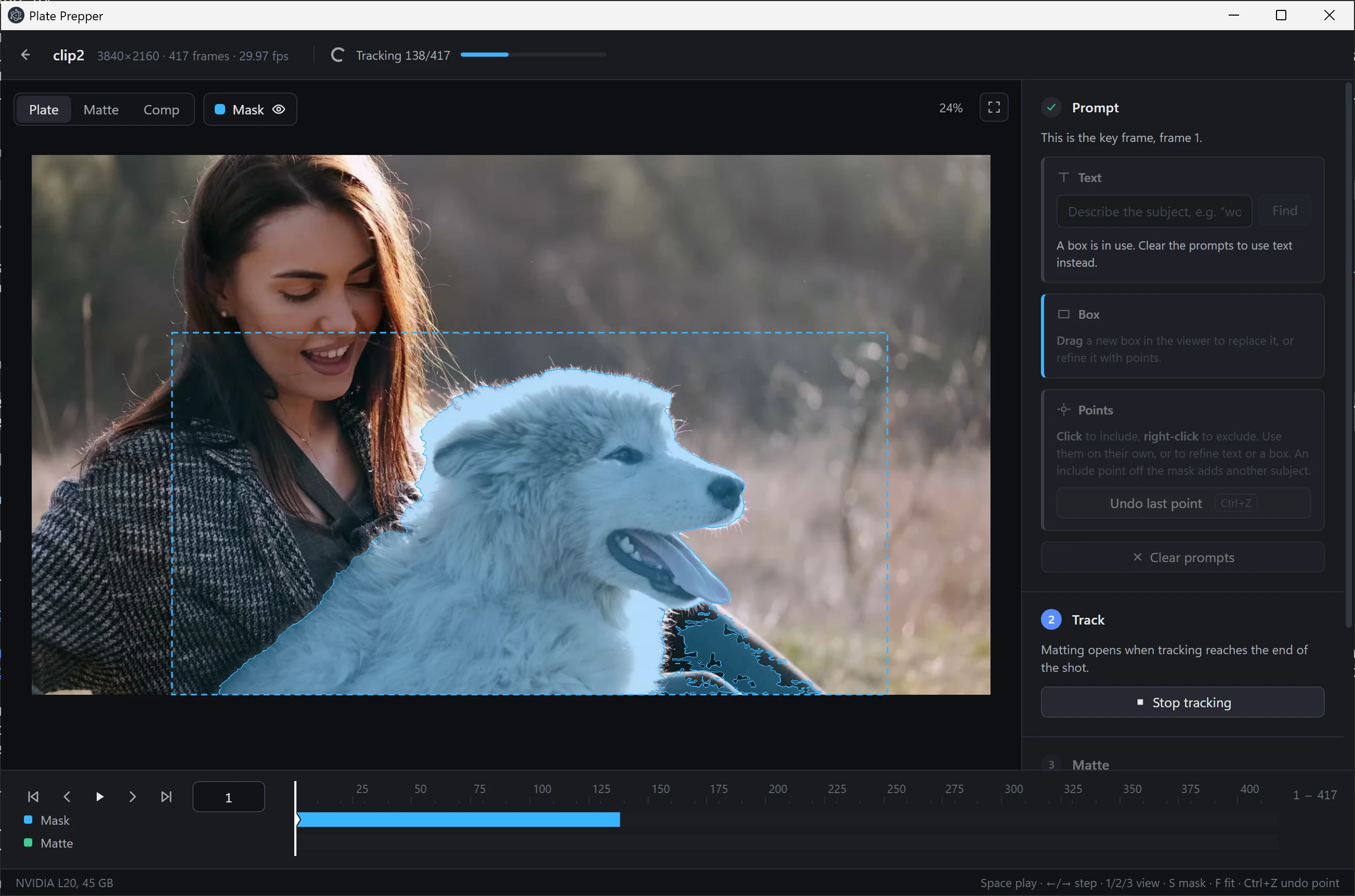
Use text, a box, or points to identify a subject. Refine the selection before asking it to track.
Tracking runs forward and backward from the key frame. Review the masks before moving to the matte step.
Use the person or object workflow. For people, a moving crop follows the subject to preserve more detail than scaling down the whole plate.
Output a 16-bit alpha image sequence and copy a Nuke Read node. Review the result in the context of the shot.
02 / ROTO REVIEWER
A focused workspace for artists and roto supervisors evaluating mattes.
Load a plate and alpha inputs, move through them together, and inspect differences at the same part of the image. Linked pan and zoom help keep the views aligned as you look at an edge.
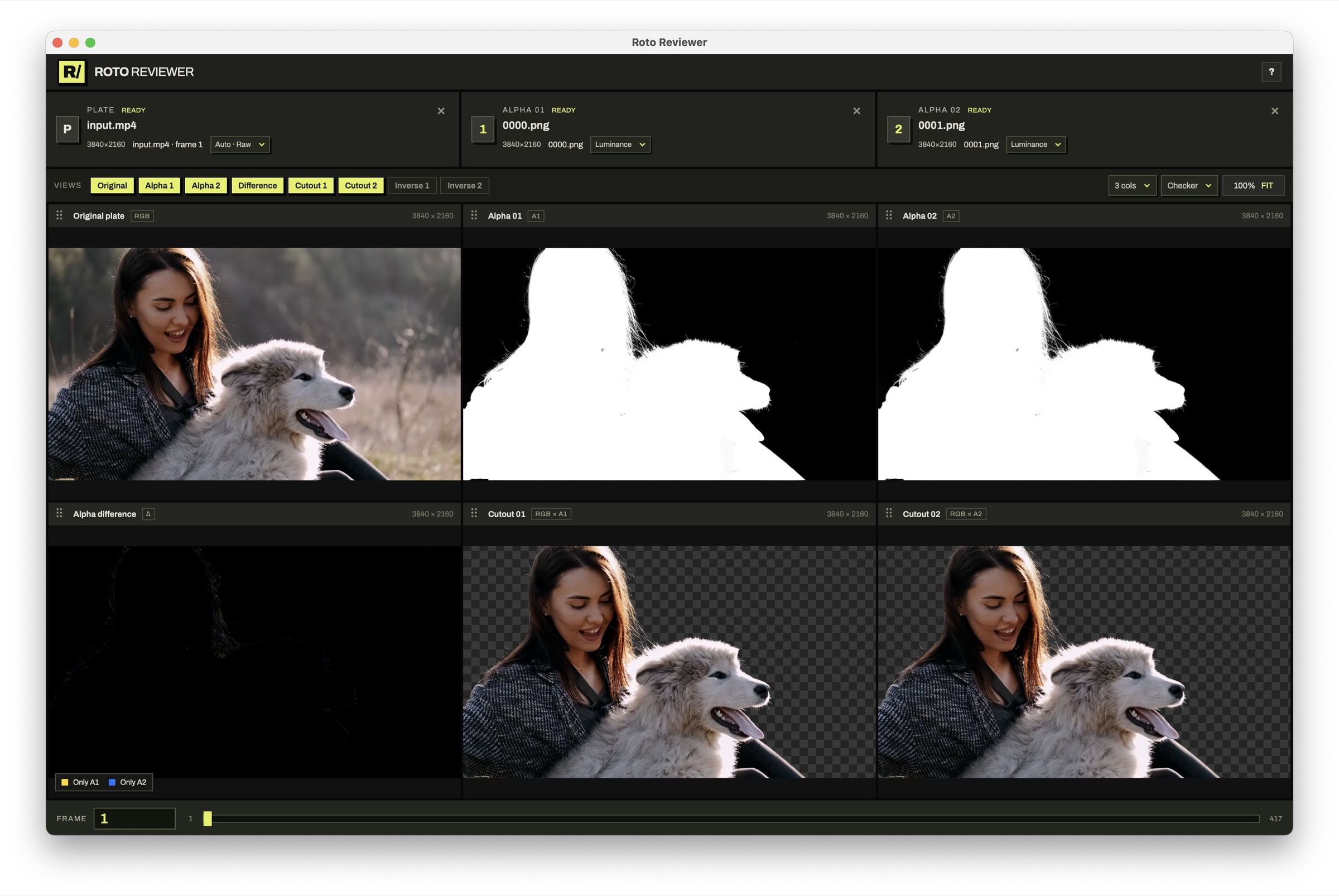
View differences between A and B to see where one alpha adds or removes coverage. Step through frames to check how that difference changes over the shot.
Work with EXR and PNG sequences or video. Apply a viewing LUT to the plate and choose whether an alpha input uses its embedded alpha or luminance.
Optional matte merge tools use a third mask to choose how A and B combine in different regions. Export the merged result as a 16-bit PNG sequence.
BEFORE YOU START
The desktop app runs its AI models locally on an NVIDIA GPU. Setup downloads tools and model weights.
Plate Prepper produces an alpha sequence for your existing workflow. Roto Reviewer focuses on inspection and comparison. Compositing decisions and final integration remain part of your production process.
The current tool is for manual review. AI-assisted supervision is the direction we’re building toward; the present features are plate viewing, matte comparison, and optional matte merging.
Roto Reviewer starts each input at review frame 1. Choose the first content frame of a sequence to align it. Inputs must have matching image dimensions for cutouts and differences.